Choose a tracking model
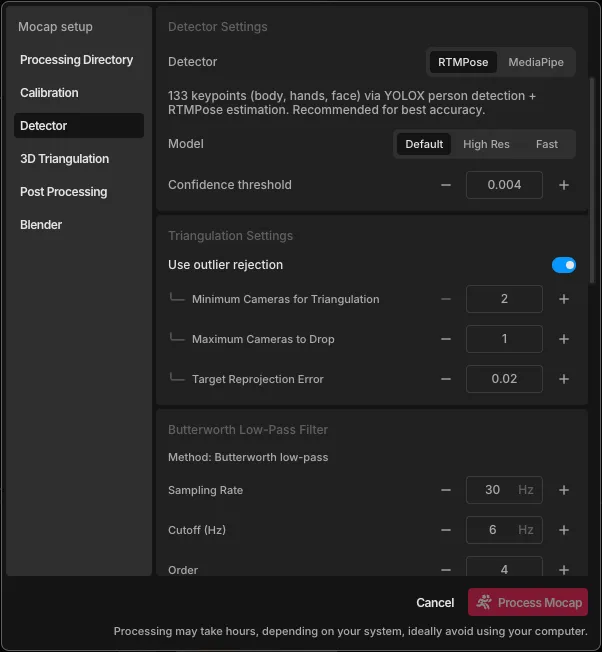
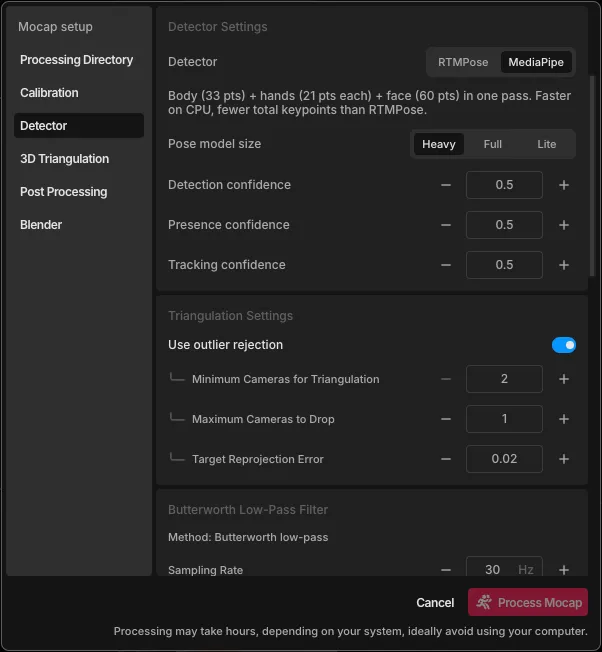
The tracker finds your body's joints in each video frame. FreeMoCap offers two. Choose one under Mocap Settings > Detector.
| RTMPose (default) | MediaPipe | |
|---|---|---|
| Accuracy | Higher | Lower |
| Speed | Slower, much faster with a GPU | Faster, runs well on any processor |
| Blender export | Not yet | Yes |
| Options | Default, High Res, or Fast model | Heavy, Full, or Lite model |
Use RTMPose for the most accurate data, unless you need Blender.
Use MediaPipe if you want a Blender scene, or if processing is too slow on your computer.
Matching the tracker to your task
From FreeMoCap's validation studies (details in accuracy, validity, and limits):
- Walking and gait: RTMPose was the most consistent.
- Balance and standing still: MediaPipe's built-in smoothing made it better at picking up small amounts of sway.
- Fast movements: MediaPipe's smoothing can make it lag behind quick motion, so prefer RTMPose.
When neither tracker works
Standard trackers can fail on bodies they weren't trained on, such as a person with a prosthetic limb. A custom-trained model can work in these cases; see image tracking and pose models.